Rental damage waiver as an optional fee at checkout

Customers worry about scratching your gear, and you worry about the repair bill. Rental Suite adds optional damage protection to the product page, which works as a rental damage waiver: shoppers tick it, see the coverage limit you set on the product and pay the fee with the rental.

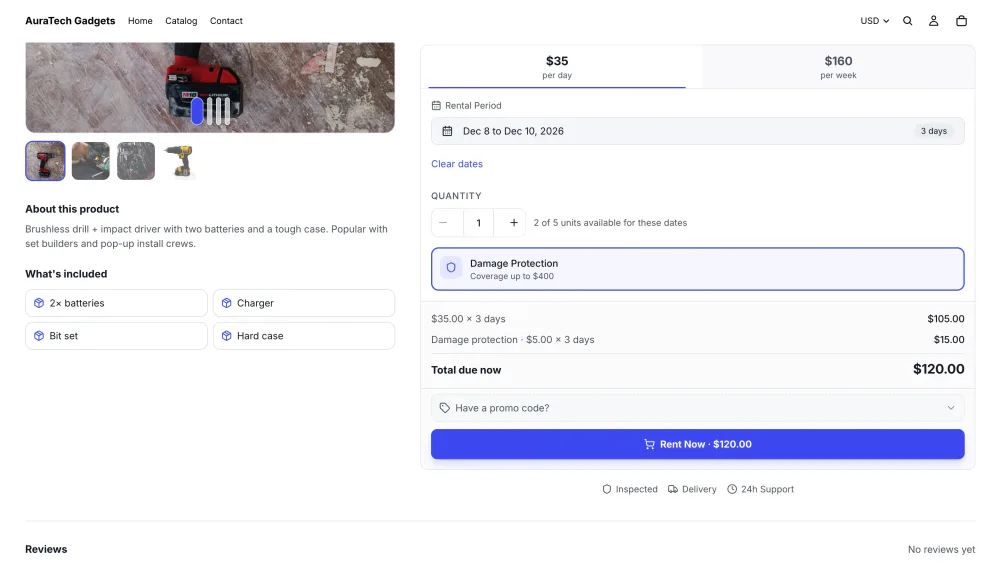
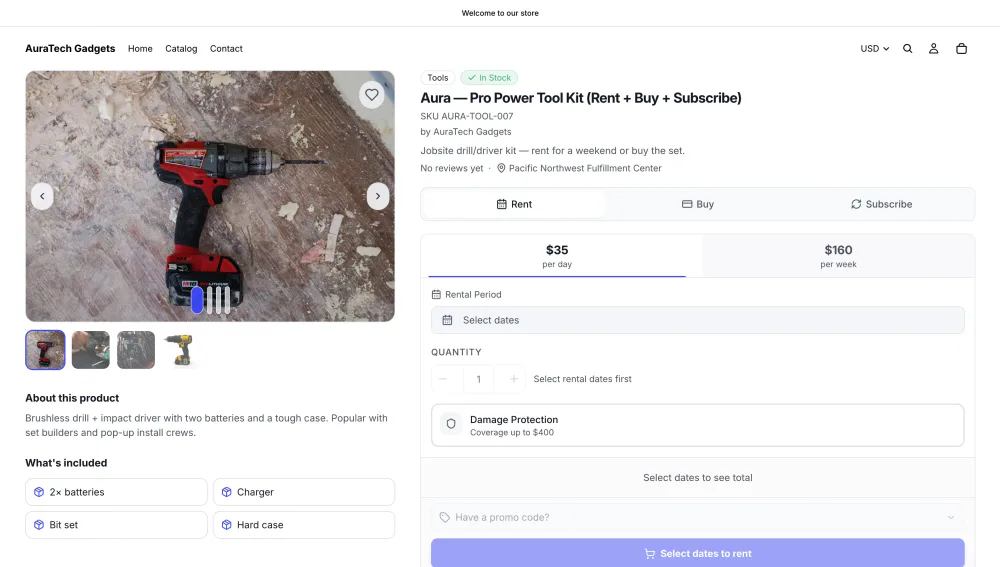
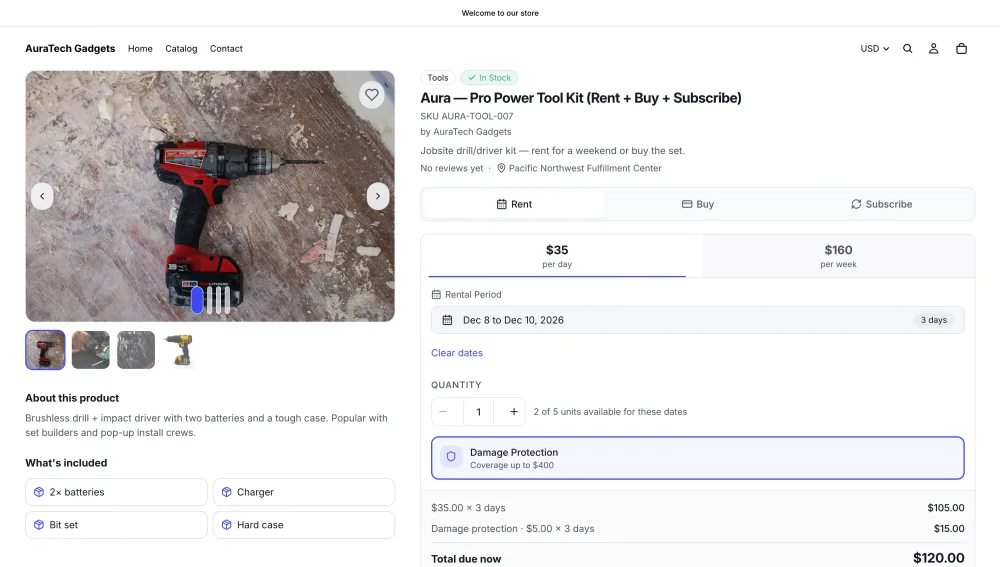
Product page with the Damage Protection option ticked, showing coverage up to 400 dollars and the fee added to the total
2Ways to price it: per day or a share of the rental
3Shown as its own line on the product page, cart and New Booking
FreeIncluded on every plan

You set the fee and the limit. Rental Suite adds it to the total and keeps it apart from the deposit.

01See it in action

See damage protection in the admin

A short walkthrough in the Rental Suite admin, with voiceover. It plays muted; press Play with sound to hear it from the start.

Read the setup guide

02Damage protection

An optional fee your customers can add for accidental damage, with the coverage limit you set on the product shown right next to it.

It's a fee you set and a promise you keep. Rental Suite adds it to the total and records it on the booking.

Damage protection
  • Optional for shoppers
  • Per-day fee
  • Share of the rental
  • Coverage limit
  • No promo discount

03How it works

Equipment rental damage waiver from setup to checkout

Switch it on for the whole shop or for one product, and it appears wherever that product is booked.

01 · Settings

Offer it across the shop

In Settings, edit the global rule, open its Deposits tab and switch on the damage protection add-on. The shop-wide fee is a percentage of the rental. Category and tag rules can turn it on for a group of products.

Settings1 / 4
Shop-wide rule with the damage protection add-on switched on and its rate set as a percent of the rental
02 · Product

A daily fee and a limit per product

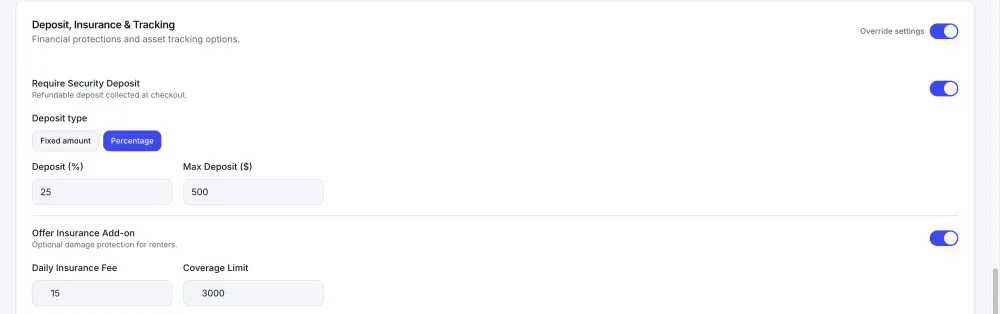
On the product's Availability & Settings tab, switch on Override settings, then set a daily fee and a coverage limit, such as $15 a day with cover up to $3,000. Set a limit: without one, the product page promises full coverage against accidental damage.

Product2 / 4
Product deposit and damage protection settings with the add-on on, a 15 dollar daily fee and a 3,000 dollar coverage limit
03 · Storefront

Shoppers tick it on the product page

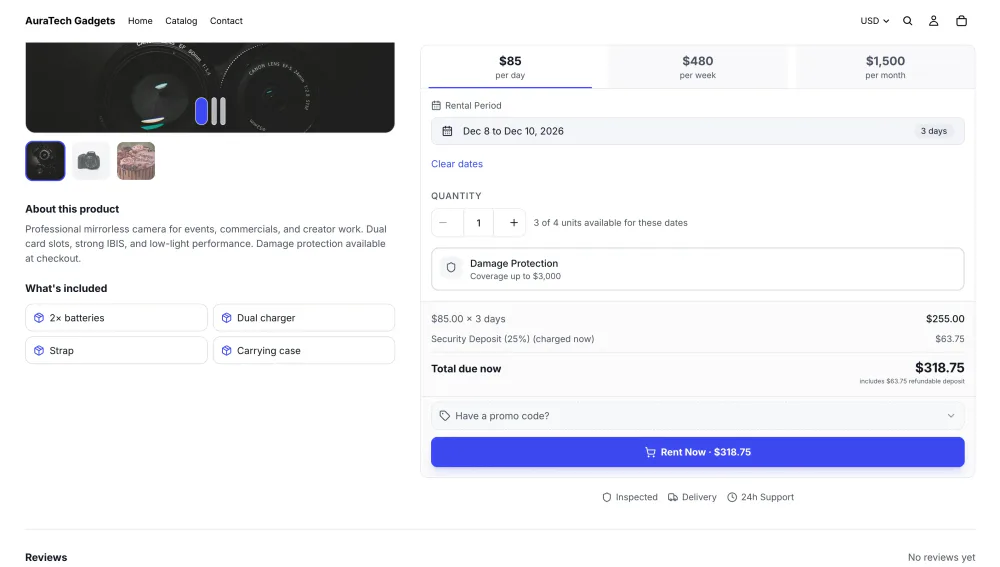
Damage Protection sits under the quantity with your limit and price. Once ticked, the fee shows as its own line, the fee times the days, and joins Total due now.

Storefront3 / 4
Price lines for a 3 day rental: rate times days, damage protection fee times days and the total due now
04 · Admin

Add it to phone bookings

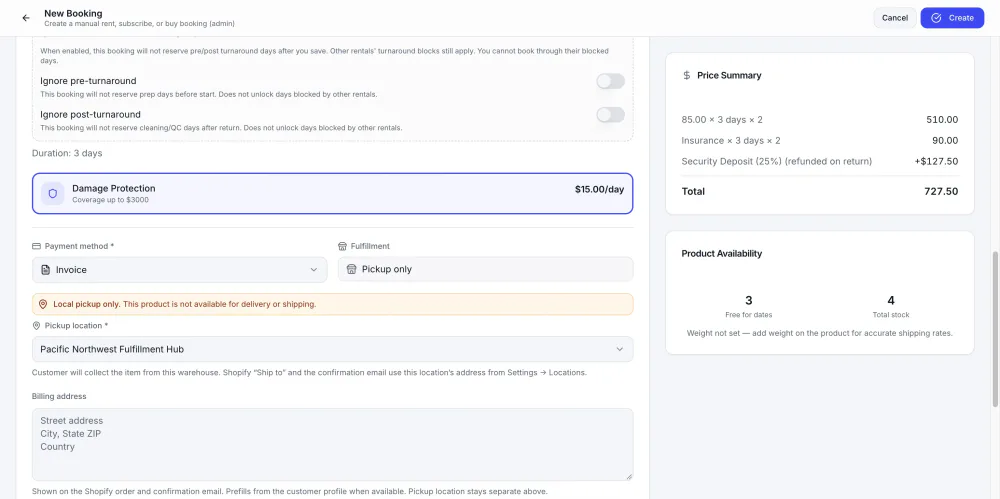
New Booking shows the same option. Tick it and the price summary adds the fee for the days and units booked.

Admin4 / 4
New Booking form with Damage Protection ticked and a price summary with the protection fee and the refundable security deposit

04Price lines

Damage protection plan and deposit, kept apart

When a product has both, the product page lists the rental, the damage protection fee and the refundable security deposit on separate lines. The fee pays for the protection and stays with you. The deposit is held and refunded on return. Promo codes take money off the rental only, not the fee.

06FAQ

Damage protection questions

Common questions about offering a rental damage waiver with Rental Suite.

Still have questions?

Ask the team that builds the app. We reply within one business day.

What is a rental damage waiver?

A rental damage waiver is an optional fee a customer pays so that accidental damage during the rental is covered by the shop, up to a set limit, instead of billed to them. In Rental Suite it's called damage protection, and you decide the fee, the limit and what counts as accidental.

Is damage protection the same as insurance?

No. It's a fee you charge and a promise you keep yourself: no insurer is involved and Rental Suite doesn't handle claims. The app adds the fee to the order and shows your coverage limit.

How much should an equipment rental damage waiver cost?

That's your call. Rental Suite lets you charge a fixed fee per day for each unit, or a percentage of the rental across the shop, so price it against what a typical repair costs you and the limit you'll cover.

Can customers skip damage protection?

Yes. It's an option shoppers tick on the product page. If they leave it unticked, no fee is added.

Does damage protection replace the security deposit?

No. They're separate: the fee pays for the protection and isn't refunded, while the deposit goes back when the item is returned. A product can have one, both or neither.

What does the coverage limit do?

It tells shoppers the most you'll cover for accidental damage, shown as Coverage up to the amount you set. Rental Suite displays it; deciding a claim and paying for repairs stays with you.