Set shop-wide rental rules
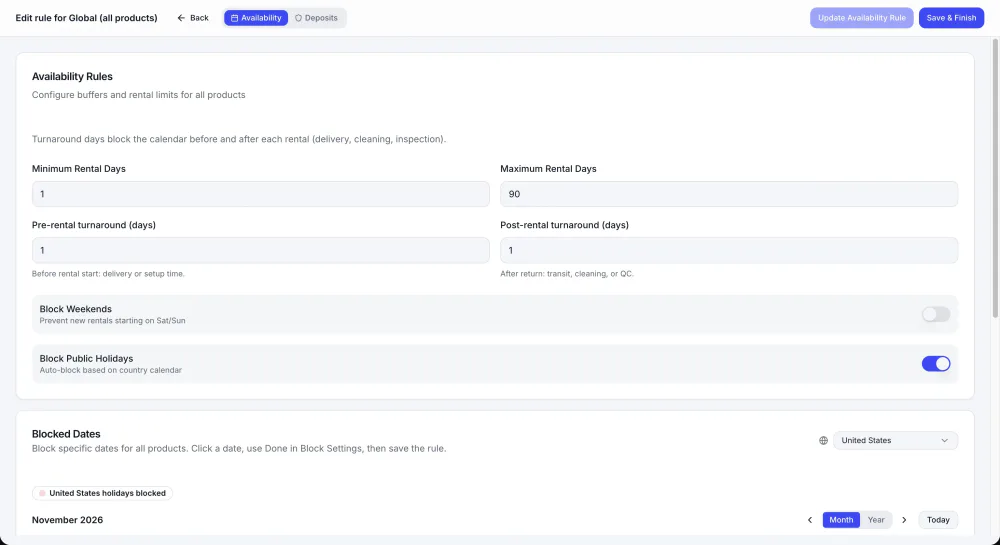
Set the minimum and maximum rental days, turnaround days before and after each rental, and whether weekends and public holidays are blocked. Category and tag rules can replace the shop default for a group of products.
Shoppers need to see which dates they can rent, and your team needs the same answer on the phone. Rental Suite's availability calendar works out every day from your stock, bookings, turnaround and blocked dates, and shows it on the product page and in the admin.

The product page, the cart, checkout and New Booking in the admin all read the same availability calendar.
01See it in action
A short walkthrough in the Rental Suite admin, with voiceover. It plays muted; press Play with sound to hear it from the start.
02Availability calendar
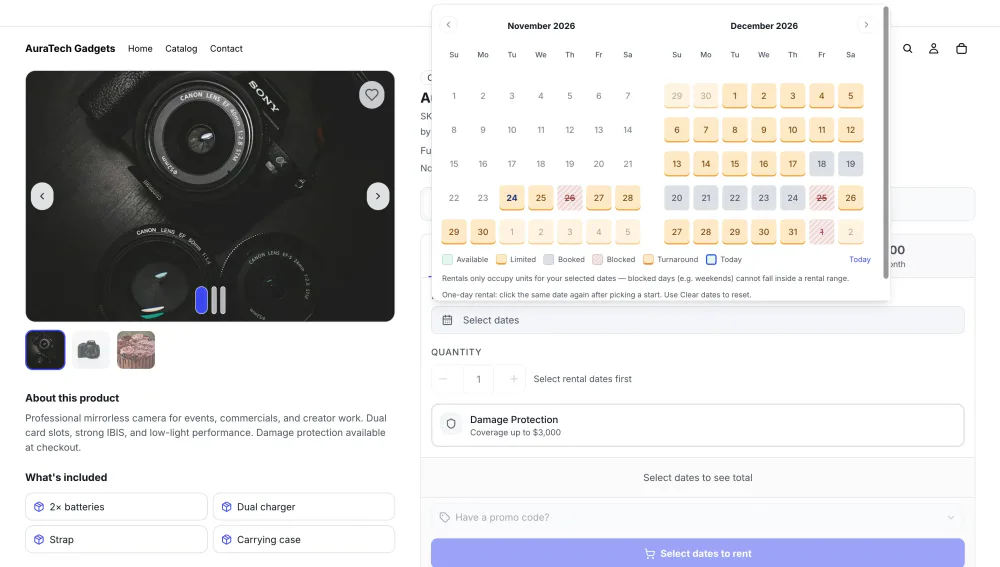
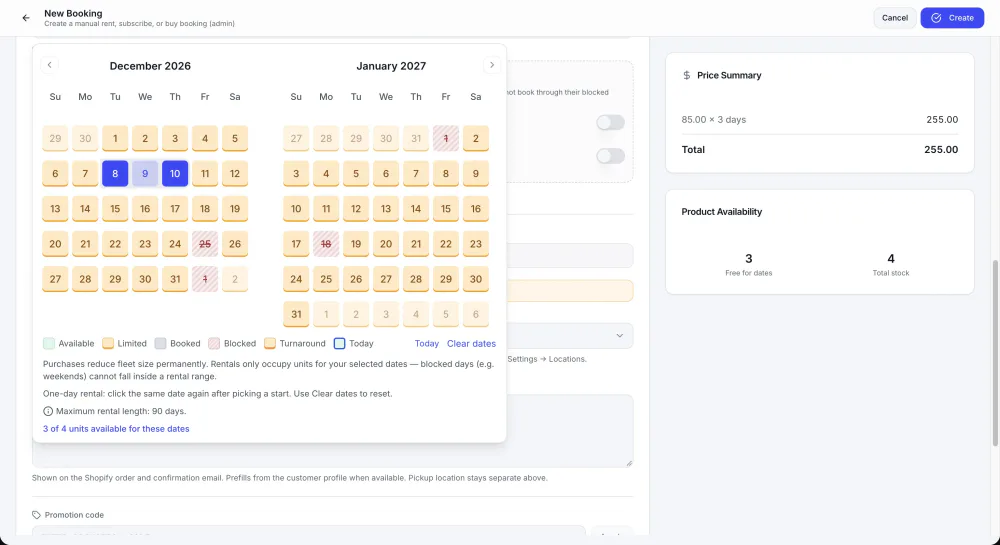
Each day takes one state, and shoppers see the same colours in the date picker that your staff see in the admin.
03How it works
Four layers feed one answer: your shop rules, the product, the shopper's dates and every booking already taken.
Set the minimum and maximum rental days, turnaround days before and after each rental, and whether weekends and public holidays are blocked. Category and tag rules can replace the shop default for a group of products.

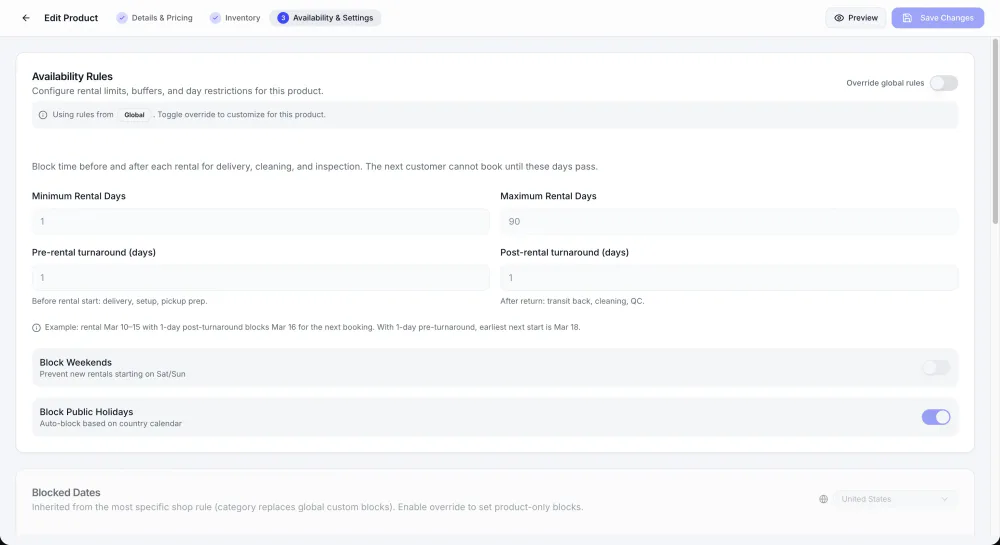
A product uses the rule that matches it until you switch on Override global rules. Then it takes its own length limits, turnaround and blocked dates.

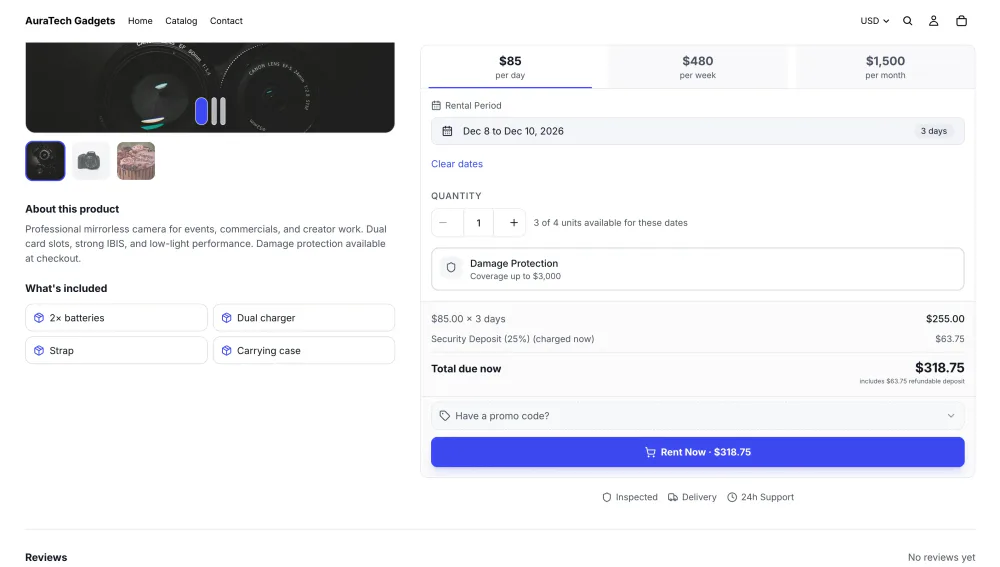
The rental calendar on the product page shows two months at a time, colours each day and won't let a range run over a blocked day.

New Booking opens the same date picker, with free units for the chosen dates next to total stock, so a phone booking can't take a unit the website already sold.

04Bookings calendar
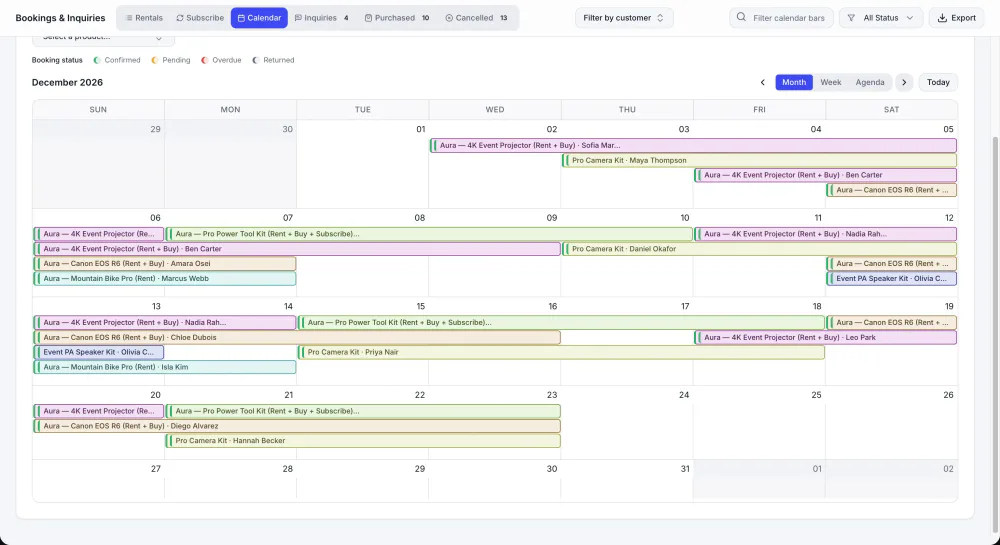
The Calendar tab in Bookings shows every rental in Month, Week and Agenda views. Pick a product and switch on the availability overlay to colour each day available, limited, booked or blocked behind the booking bars.
Availability
Status
05Features
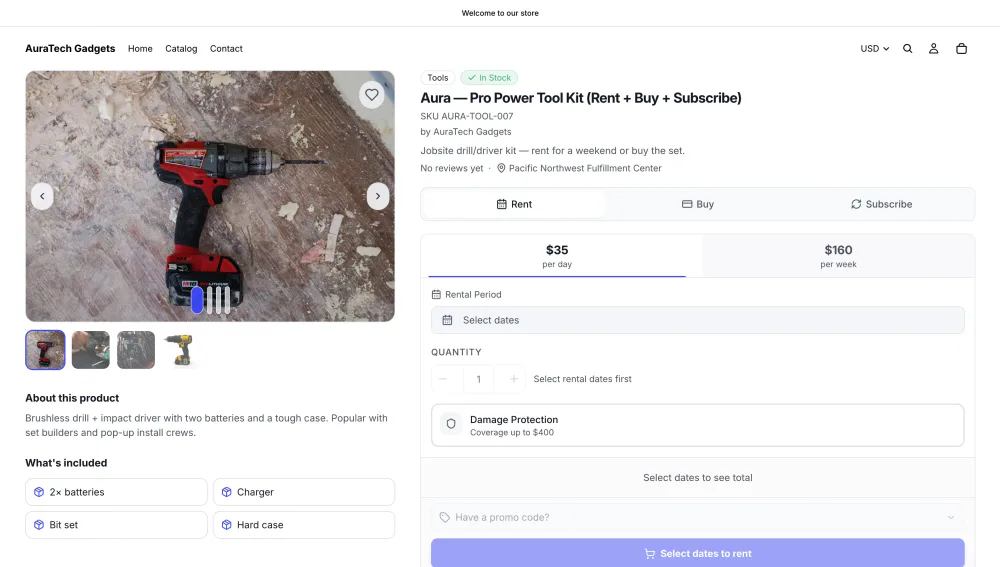
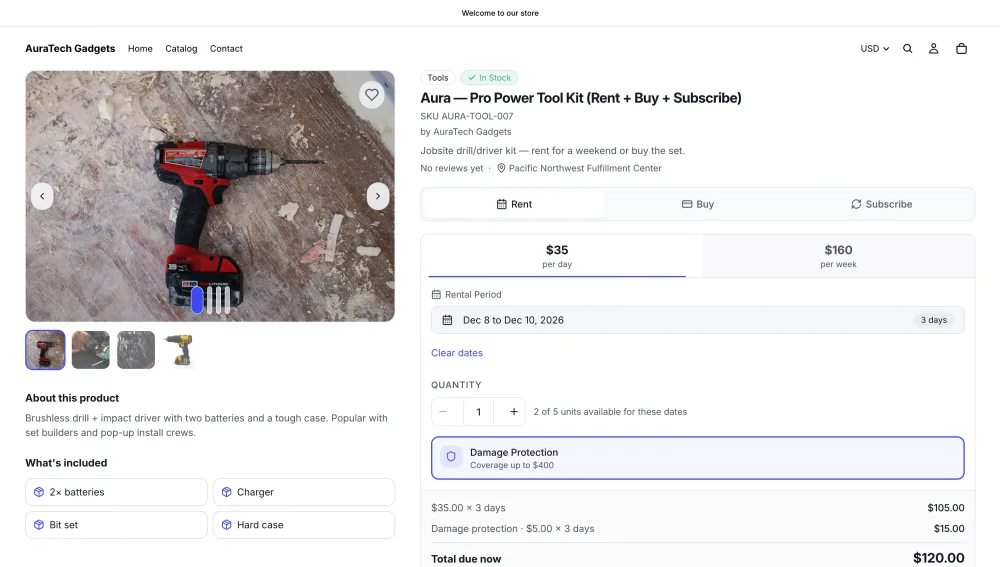
A calendar on the product page that shows open, limited and blocked days and prices the rental.
Learn moreSet the shortest and longest rental for the shop, a category, a tag or one product.
Learn moreBlock weekends, public holidays and your own closed days on the rental calendar.
Learn moreTurnaround days before and after each rental for delivery, cleaning and checks.
Learn moreOne stock count and checkout holds stop two customers renting the same unit for the same dates.
Learn more06Related
07FAQ
Common questions about the rental availability calendar in Rental Suite.
Ask the team that builds the app. We reply within one business day.
A rental availability calendar shows, for each day, whether a product can be rented: available, limited, booked, blocked or held for turnaround. In Rental Suite it's worked out from your stock, bookings, checkout holds and rules, and it appears on the product page and in the admin.
A limited day still has units free, but not all of them. Shoppers can book it as long as the quantity they want is free on every day of their range.
Yes. Set shop-wide rules in Settings, add rules for a category or a tag, and switch on Override global rules on any product that needs its own minimum, maximum, turnaround or blocked dates.
Yes. Confirmed and overdue rentals, active checkout holds and purchases from the fleet all reduce the units free on each day, whether they came from the storefront or from New Booking.
Yes. The Rental product page block adds the calendar to your Shopify product page, so shoppers see open and blocked days, the units left and the total before they add the rental to the cart.
Up to 365 days from today. Past dates can't be picked for a new rental.