
01 · Storefront
Shoppers book their own dates
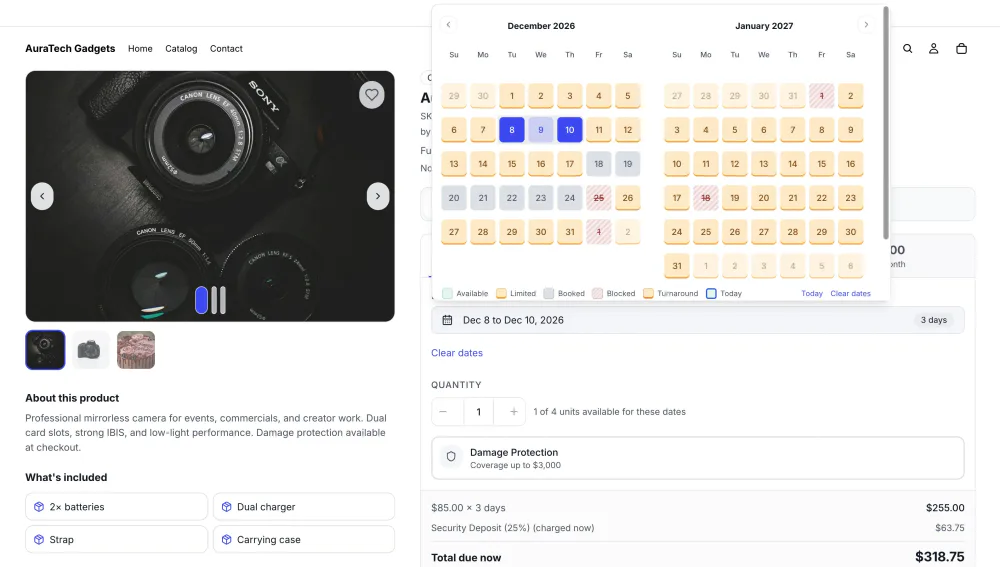
On the product page, shoppers see available, limited, booked and blocked days, pick a range and check out. The rules you set (minimum and maximum length, blocked days, turnaround) apply before they pay.
Bookings come in from your website, the phone and the counter, and a spreadsheet can't keep them apart. Rental Suite is rental reservation software that puts them on one calendar, checks every one against the same stock, and keeps the order, invoice and return status on each booking.
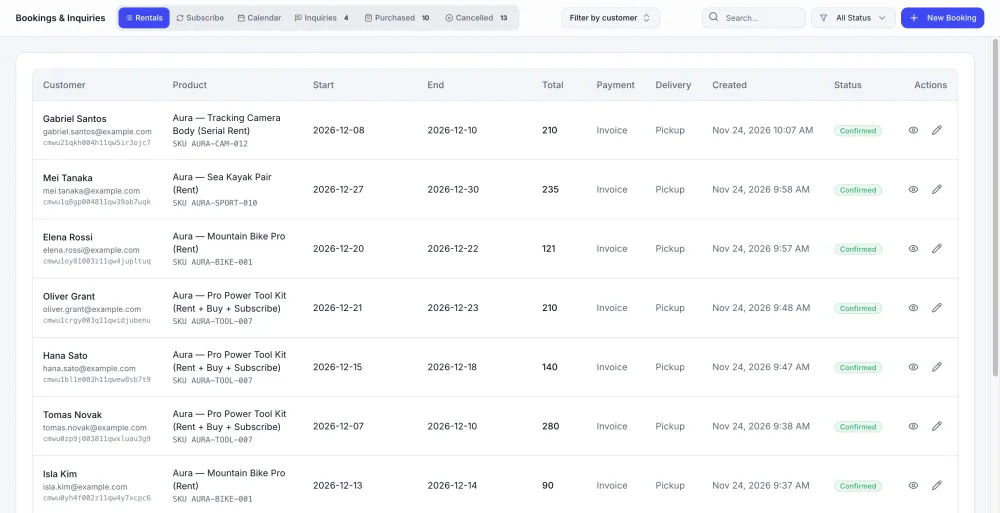
The calendar, the bookings list and New Booking use the same stock as your product pages.
01See it in action
A short walkthrough in the Rental Suite admin, with voiceover. It plays muted; press Play with sound to hear it from the start.
02Bookings hub
The tabs match the admin screen, so your team knows where every booking lives.
03A rental day
Shoppers pick dates on the product page, staff add phone and walk-in bookings in the admin, and both draw on the same stock.
On the product page, shoppers see available, limited, booked and blocked days, pick a range and check out. The rules you set (minimum and maximum length, blocked days, turnaround) apply before they pay.
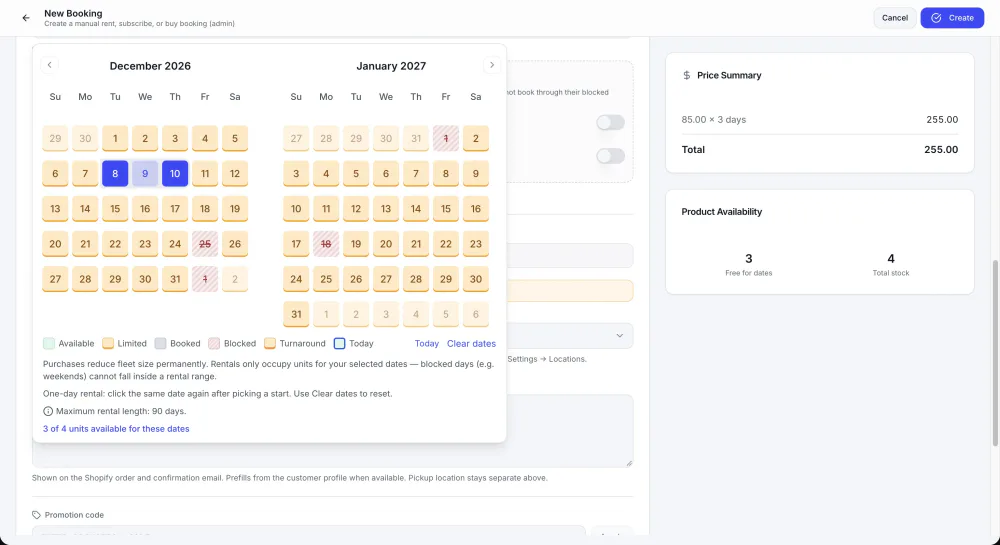
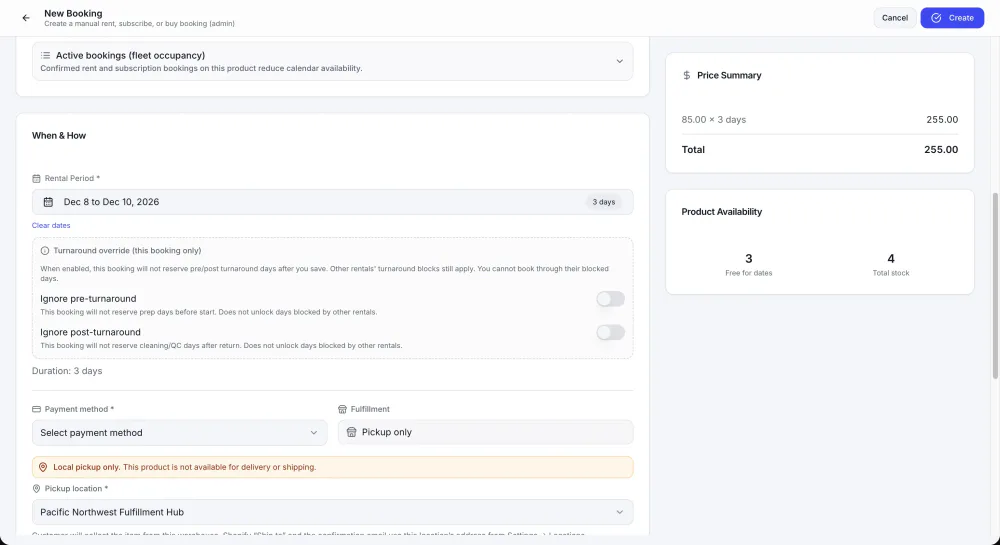
In New Booking, the date picker shows the same days, plus how many units are free for the range, before you create anything.
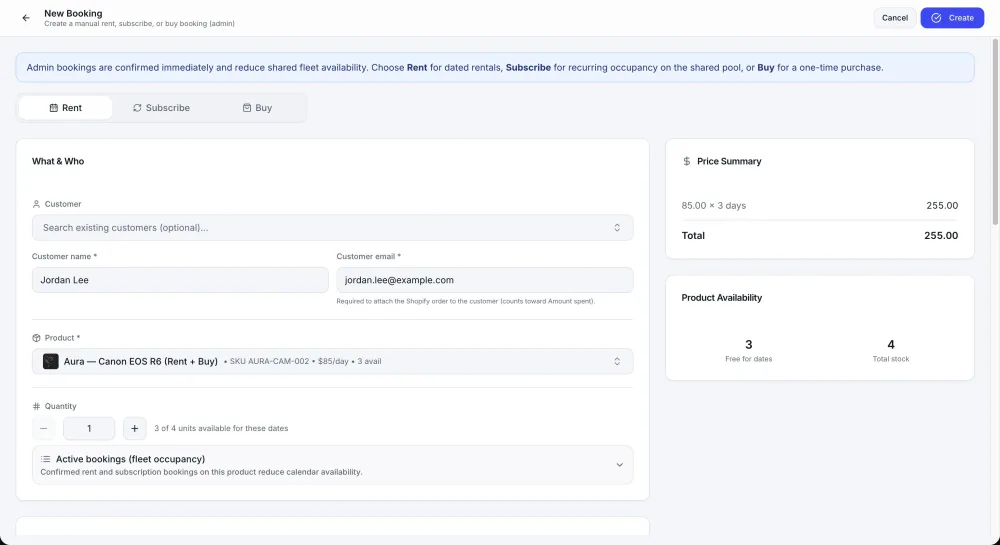
Customer, product, quantity, dates and a live price summary on one form. Admin bookings are confirmed right away and create the matching order in your Shopify admin.
Choose how the gear reaches the customer and, for pickup, which location. The order and the confirmation email use that location's address.
04Booking page
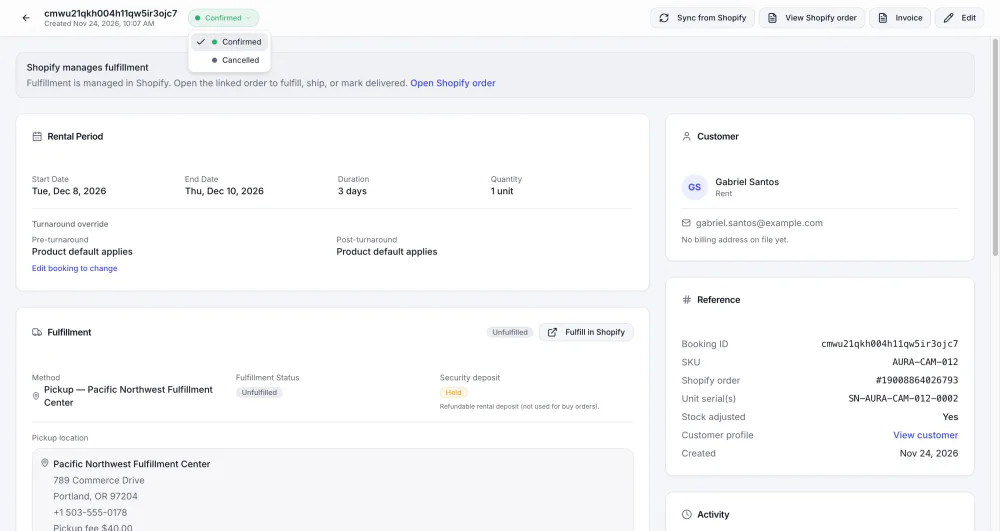
Open any booking to see its dates, customer, fulfillment, deposit and serial unit, with the invoice and the Shopify order one click away.
05Calendar
Month, Week and Agenda views show every rental with its customer and dates, colour coded by product. Filter by customer or status, or pick a product to lay its day availability over the month.
Availability
Status
06Lifecycle
Customer emails and in-app alerts go out at each step of a rental. You edit the emails in Email Templates and choose the alerts in Settings.
From storefront checkout or New Booking in admin. Shopify sends its own order confirmation; one Liquid snippet adds the pickup location and rental promo links to it.
The customer gets your Order Confirmation email, and the booking shows on the calendar with a confirmed bar.
Fulfill the order in your Shopify admin: ready for pickup, picked up, shipped or delivered. Rental Suite reads the status back and sends the matching email.
The customer gets a reminder before the return date (one day by default, set in Settings › Lifecycle). If the gear isn't back after the end date and any grace days, the booking turns Overdue on the calendar.
Mark the booking Returned in Rental Suite once the gear is back. Its units are free for the next booking, any serial unit is released and a held deposit is refunded. If damage is reported, an optional follow-up email goes to the customer.
Booking Updated (off by default) and Booking Cancellation emails cover changes along the way.
07Inquiries
Quote-only products collect requests on the product page. When the customer agrees, convert the request without retyping it, at the rate you quoted.
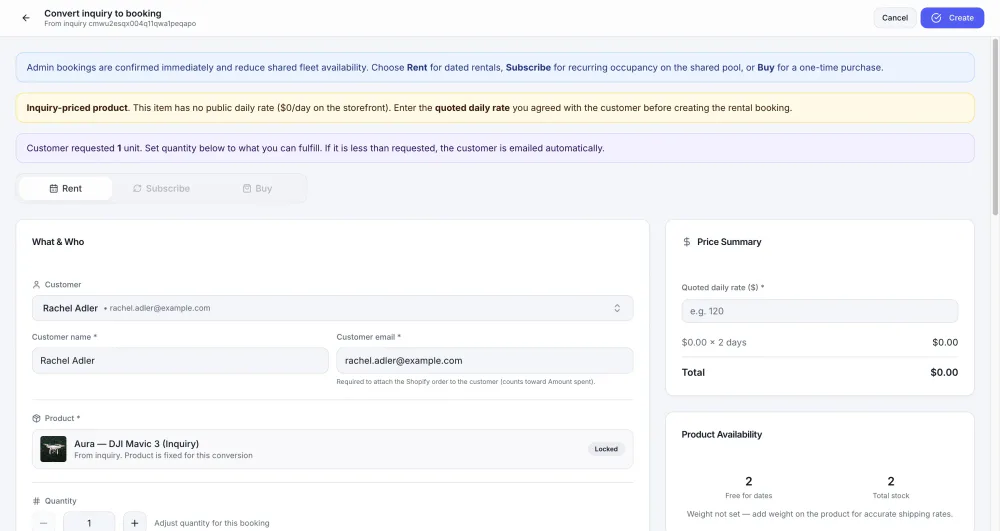
The request's customer, product and units come across, with the product locked.
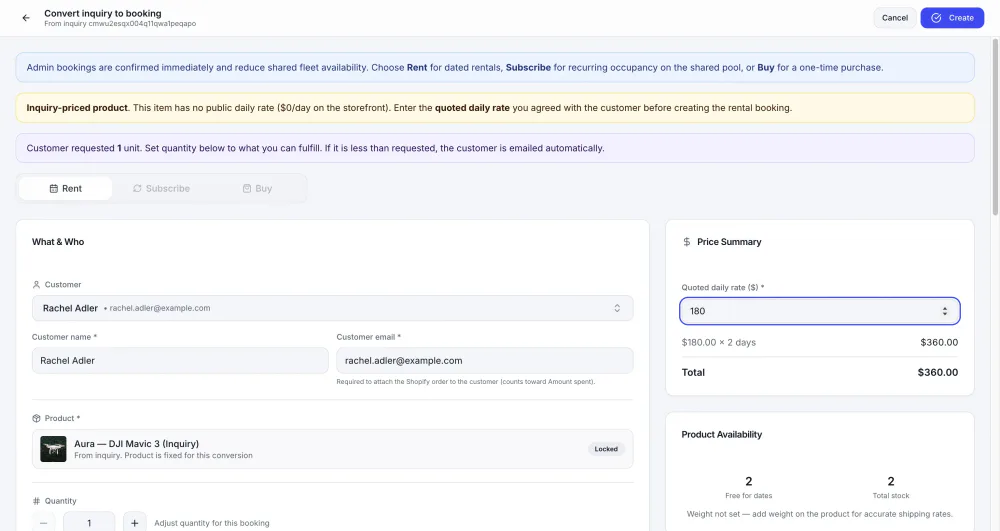
Enter the daily rate you agreed, pick the dates and Pickup, Delivery or Shipping, then create the booking.
08Features
Add phone, walk-in and event bookings in the admin, checked against the same stock as your website.
Learn moreFollow each rental from handoff to return, with reminders, overdue notices and the deposit refund.
Learn morePrint or save a PDF invoice for any booking you create in the admin, with the promo code shown.
Learn more09Related
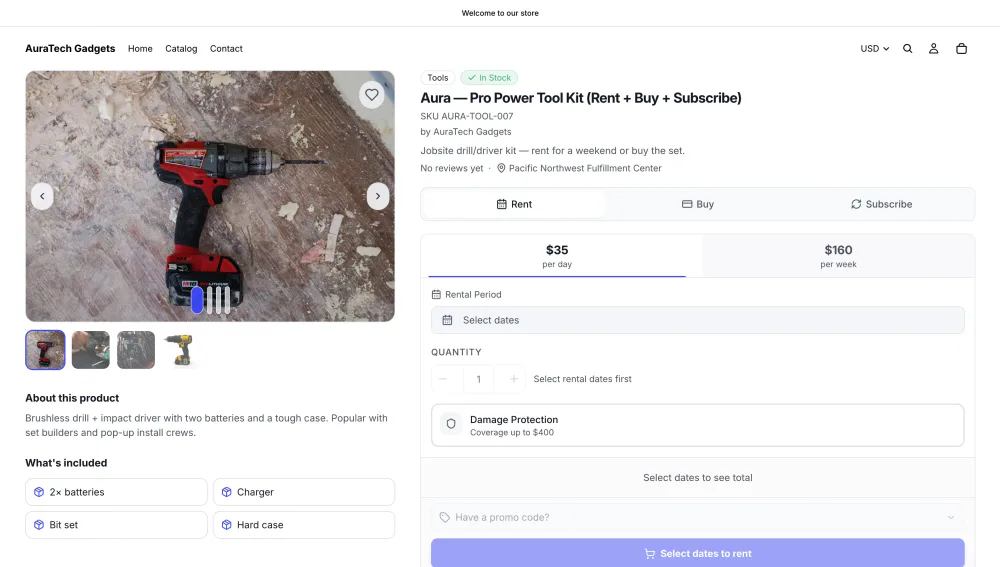
Shoppers want dates, prices and stock before they commit, not an email thread. Rental Suite is ecommerce rental software that adds Rent, Buy and Subscribe tabs to your Shopify product page, with a live calendar and every line of the total before checkout.
Learn more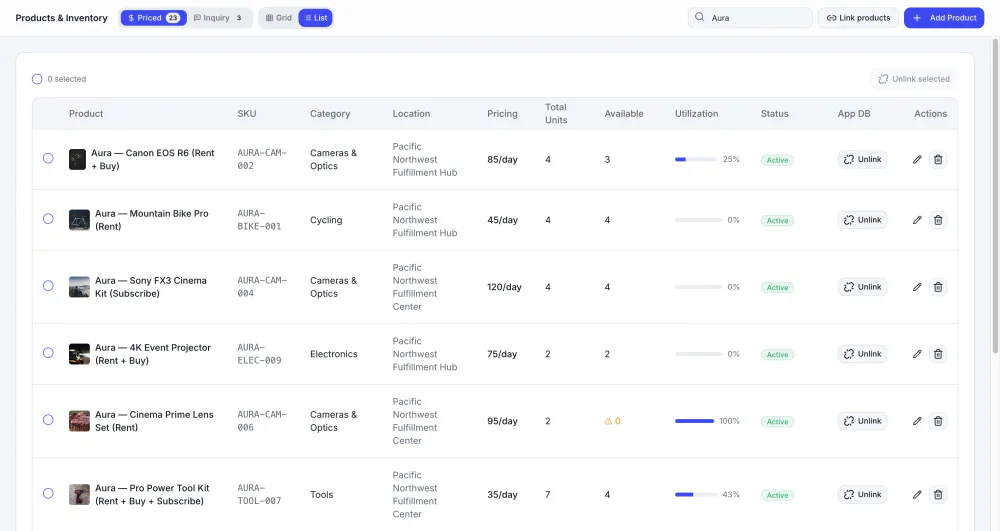
A spreadsheet can't tell you which camera is free next weekend. Rental Suite is rental inventory management software that links your Shopify products, sets day, week and month rates, and tracks a fleet count or each serial unit, so booked units drop out of availability on their own.
Learn more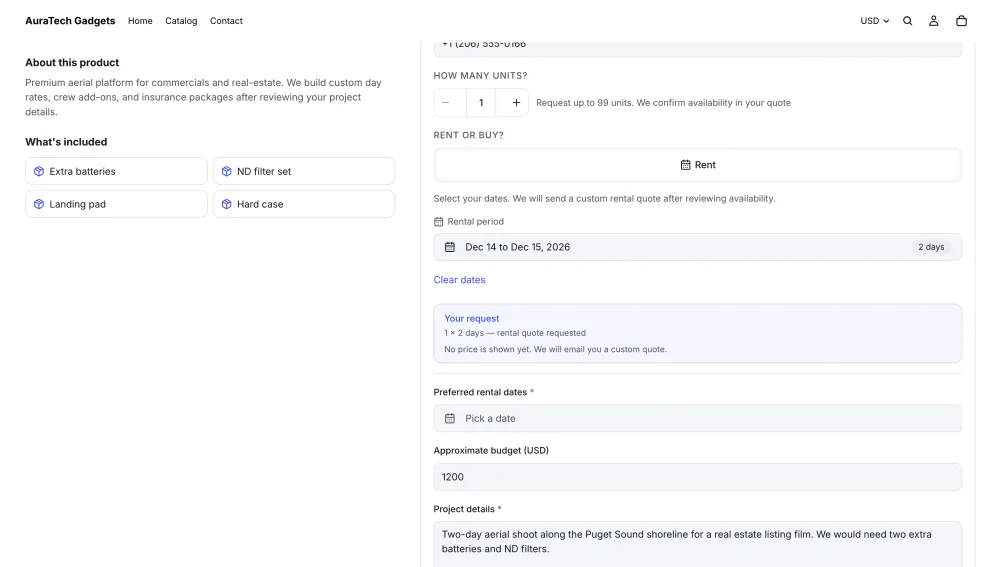
Big jobs and custom kits need a price from you, not a checkout. Rental Suite adds a quote request form to the product page, collects every request on one list, and turns an agreed quote into a booking at the rate you set.
Learn more10FAQ
Common questions about bookings and the calendar in Rental Suite.
Ask the team that builds the app. We reply within one business day.
It's software that takes rental bookings for set dates and checks each one against the stock you own. Rental Suite does that on your product pages and in the admin, and keeps every booking on one calendar.
Yes. Use New Booking in the admin. It checks the same stock and date rules as your product page, confirms the booking right away and creates the order in your Shopify admin.
Yes. Both draw on one pool of units, so a camera booked by phone disappears from the product page for those dates.
Rentals, Subscribe, Calendar, Inquiries, Purchased and Cancelled, the same tabs as the Bookings & Inquiries screen in the app.
You mark the handoff on the order in your Shopify admin and the booking shows the status. The return is marked on the booking in Rental Suite, with reminders and overdue notices on the days you set in Settings › Lifecycle.
Requests from quote-only products land on the Inquiries tab. From there you contact the customer and turn an agreed quote into a booking.