01 · Email Templates
Edit the subject and body
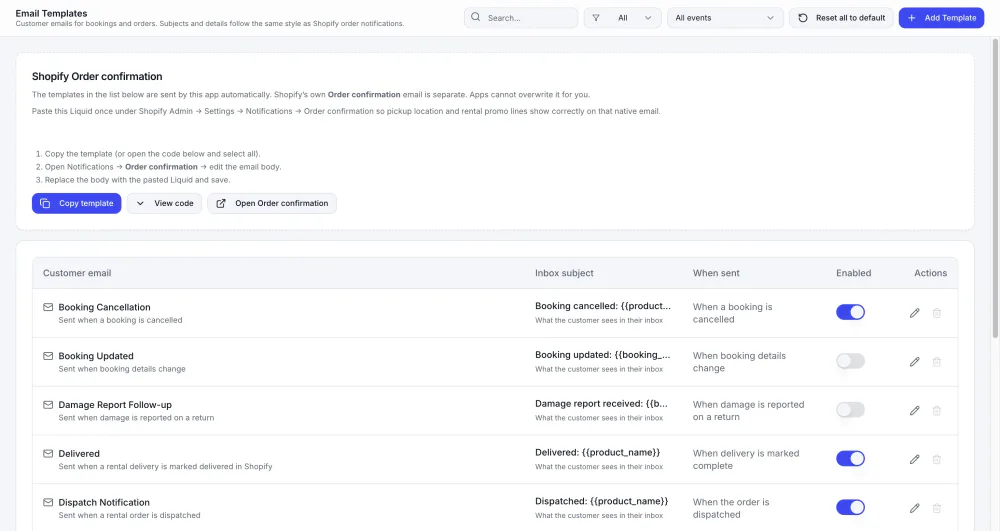
Open any customer email to change its subject line and its body with the formatting toolbar. Click a variable such as {{customer_name}} to insert it.
Writing the same confirmation, pickup and return emails by hand takes time you don't have. Rental Suite sends custom email templates at each step of a booking, from your own domain if you like, and posts alerts for your team in the admin.
Included on every plan, including Free.
01See it in action
A short walkthrough in the Rental Suite admin, with voiceover. It plays muted; press Play with sound to hear it from the start.
02Email and alerts
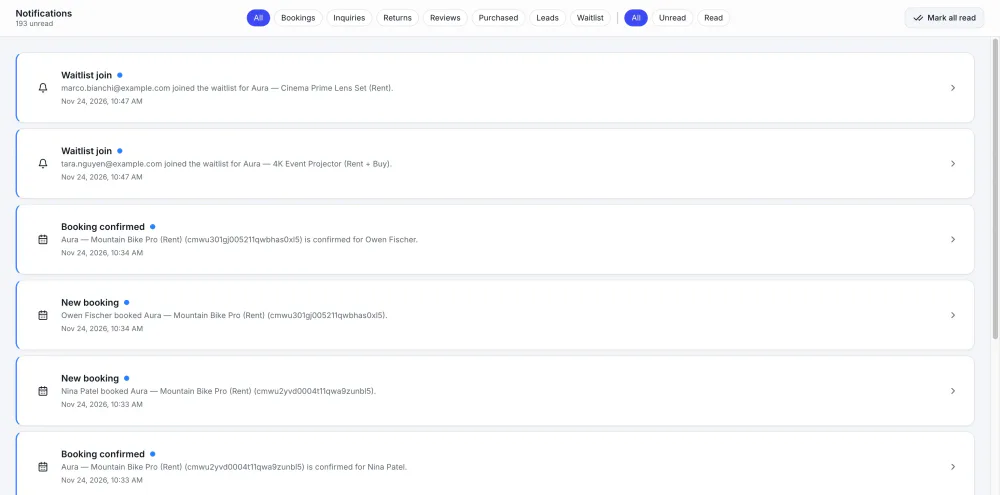
The Notifications feed filters alerts by area, so whoever handles returns or reviews sees just those.
03Templates and alerts
Start from the built-in templates, adjust the ones you use, set the return timing, then choose the alerts your team wants.
Open any customer email to change its subject line and its body with the formatting toolbar. Click a variable such as {{customer_name}} to insert it.
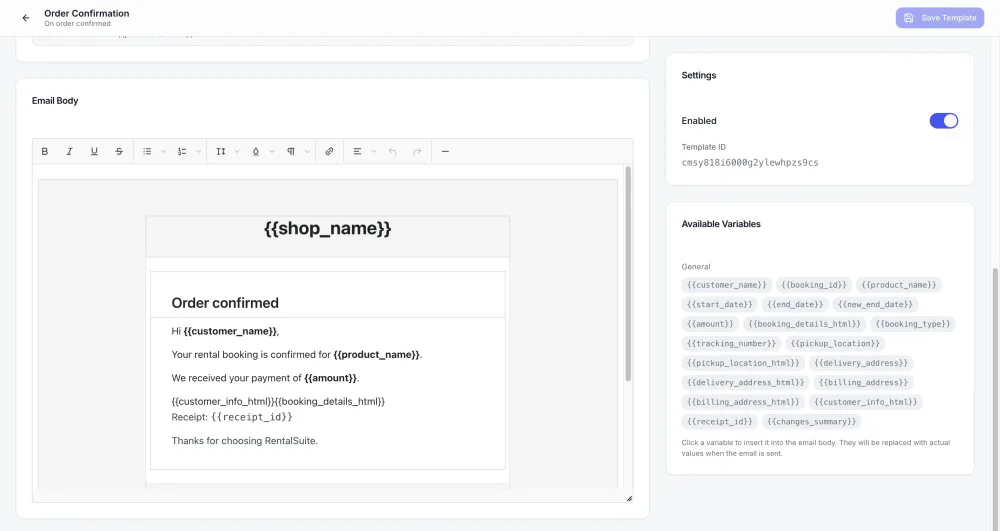
Each template has a trigger, such as On pickup ready or On overdue, and an Enabled switch. Only one enabled template per trigger sends.
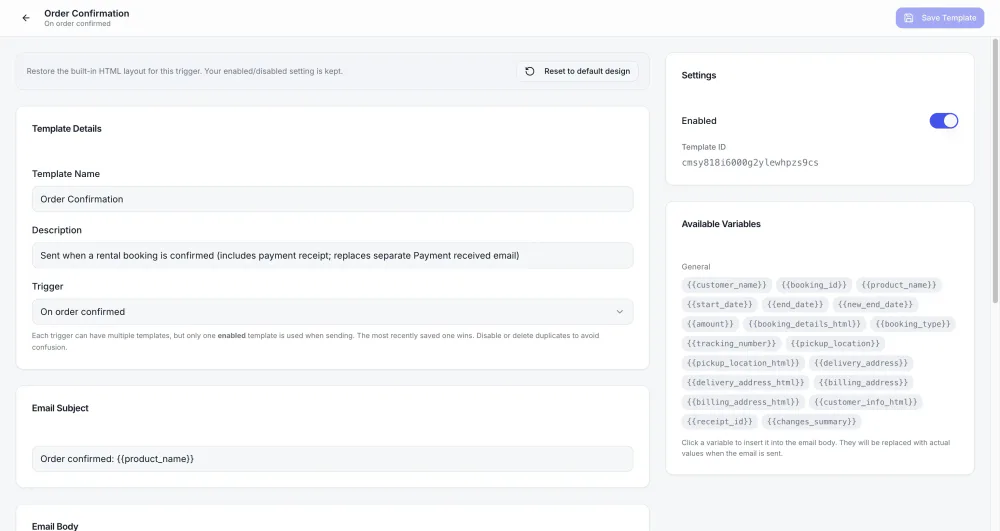
Settings › Lifecycle sets how many days before the end date the return reminder goes out, and the grace days before a late rental turns Overdue.
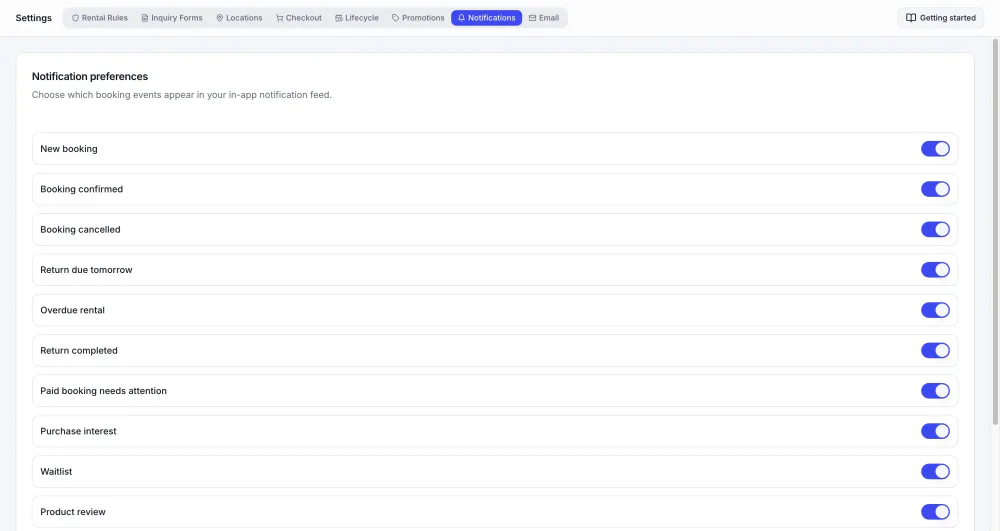
Settings › Notifications has a switch for each alert type, such as New booking, Overdue rental and Product review. Save preferences to apply them.
04Notifications
Bookings, quote requests, returns, reviews, purchase leads and waitlist joins land in one feed that you can filter by area.
05One rental
With the default templates on, every step of a pickup rental emails the customer, and key moments alert your team.
The customer gets Order Confirmation with the payment and booking details, and a New booking alert reaches your feed.
When the order is marked ready for pickup, the customer gets the pickup location, the booking details and a reminder to bring ID.
Marking the pickup sends a short confirmation. Before the end date, on the day you set, the customer gets a return reminder and your team gets an alert.
If the unit is still out after the end date and your grace days, the rental turns Overdue. The customer gets an Overdue Notice, and your team gets an Overdue rental alert.
Once the rental is marked Returned, the customer gets a thank-you email. If a deposit was charged, the refund email follows once it's issued.
Settings › Lifecycle sets how many days ahead the return reminder goes out (1 by default) and the grace days before a rental turns Overdue. An email sends only while its template is enabled.
06Email delivery
Under Settings › Email, keep the shared platform mail or switch to Custom SMTP or Resend, with your own From name, From email and Reply-To. Send a test email before you rely on it: if your own setup is incomplete, emails don't send rather than falling back to platform mail.
07Features
Edit the confirmation your renters get: subject, body, variables and the order summary.
Learn moreA reminder before each rental is due back, and an overdue notice if it isn't.
Learn moreSend booking emails through your own SMTP server or Resend account, with your own From name.
Learn moreIn-app alerts for new bookings, returns, waitlist joins and reviews, with a switch for each.
Learn more08Related
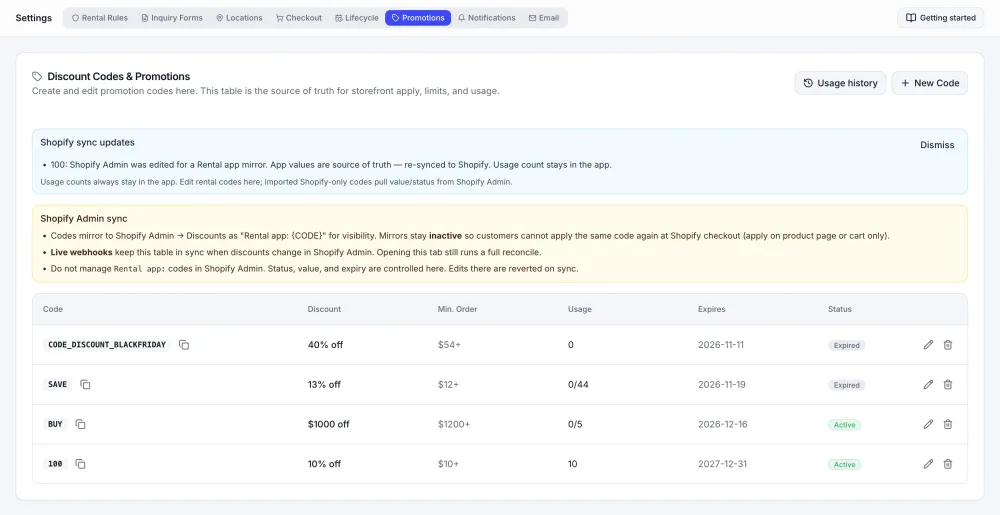
Quiet weeks need a reason to book, but a code with no limits can run for months. Rental Suite lets you create rental promo codes with a minimum order, a usage limit and an expiry date, and they work on the product page, in the cart and in New Booking.
Learn more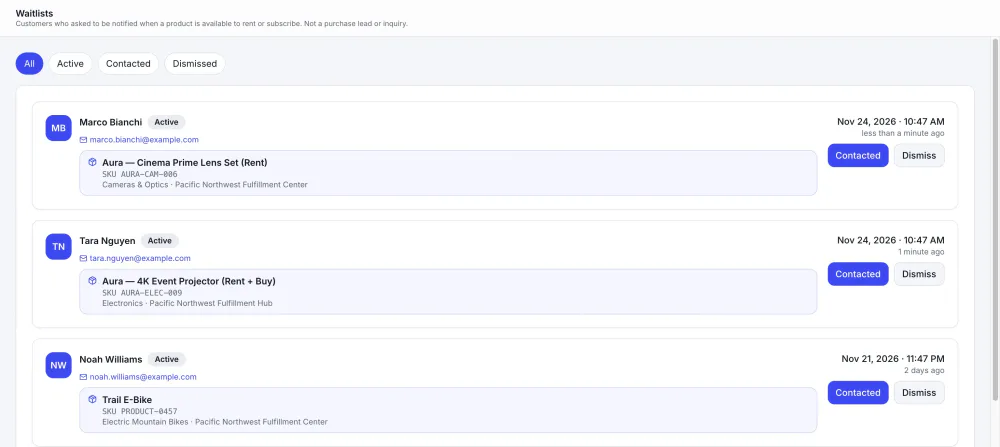
When every unit is out, the shopper usually leaves for good. Rental Suite adds a waitlist app to your rental product page: shoppers join from the heart or a short form, ask to buy when nothing is left to sell, and you follow up from one list.
Learn more
Shoppers trust reviews from people who used the gear. Rental Suite is a product reviews app that opens the review form only after a completed rental, purchase or subscription, holds each review until you approve it, and lets you reply as the store.
Learn more09FAQ
Common questions about email templates and notifications in Rental Suite.
Ask the team that builds the app. We reply within one business day.
They're saved emails you write once and the app fills in for each customer. In Rental Suite every customer email, from the booking confirmation to the return reminder, is a template with its own subject, body and variables that you can edit.
With the defaults on, they include the booking or purchase confirmation, cancellation, ready for pickup, dispatch, delivered, picked up, return reminder, overdue notice, return received and deposit refund. A few, such as Booking Updated and Damage Report Follow-up, start switched off.
No. Apps can't overwrite Shopify's order confirmation. You copy the Liquid snippet from Email Templates and paste it into your Shopify order confirmation once, so pickup and rental promo lines show there.
Yes. Reset to default design restores one template's built-in layout and keeps its Enabled setting, and Reset all to default does every template at once.
Yes. In Settings › Email, choose Custom SMTP or Resend and set your From name and From email. Without that, emails go out through shared platform mail with your Reply-To.
Yes. Notifications are in-app alerts for your team inside Rental Suite, with their own switches in Settings › Notifications. Email templates go to customers.