
01 · Customers
Find any renter
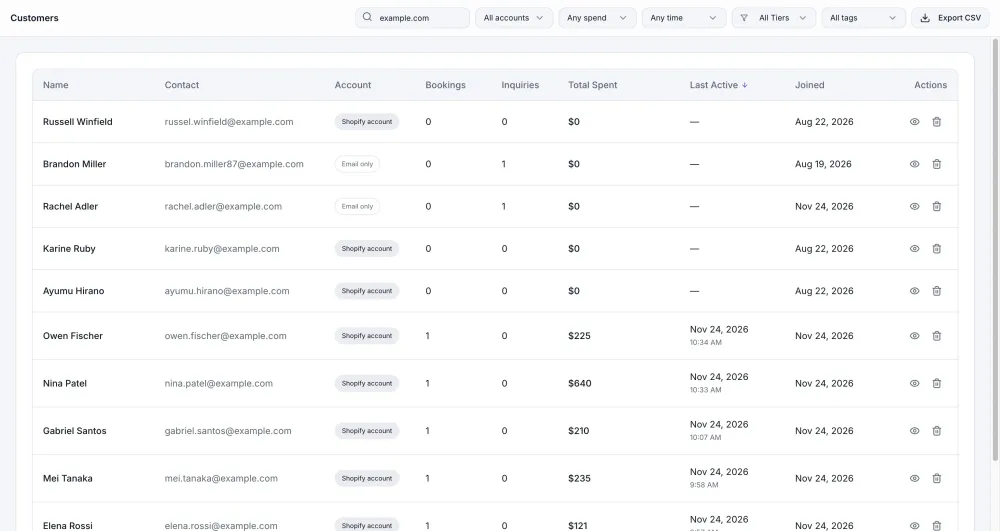
Each row shows contact details, account type, bookings, quote requests, total spent and last activity. Filter by spend, tier or tag, and use the same records to filter Bookings and Reviews by customer.
Order lists don't show who keeps coming back or which gear sits on the shelf. Rental Suite gives every renter one profile, and its dashboard turns the same bookings into rental analytics: repeat customers, lifetime value, revenue and utilization.
Included on every plan, including Free.
01See it in action
A short walkthrough in the Rental Suite admin, with voiceover. It plays muted; press Play with sound to hear it from the start.
02Customer records
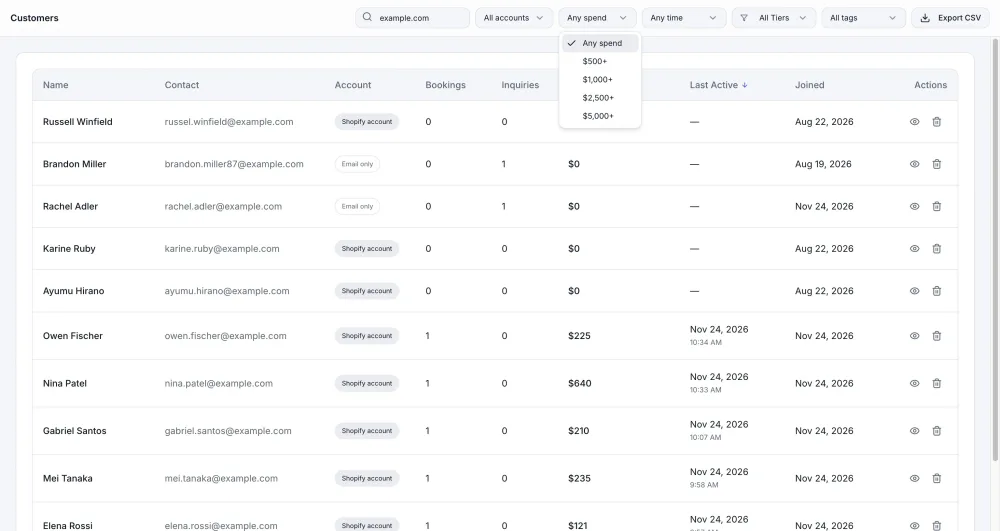
Filter the list by account, spend, last activity, tier or tag, and export the rows you're viewing as a CSV.
03Profiles and analytics
Customer profiles on one side, the dashboard on the other. Both read the bookings in your shop, so there are no reports to build.
Each row shows contact details, account type, bookings, quote requests, total spent and last activity. Filter by spend, tier or tag, and use the same records to filter Bookings and Reviews by customer.
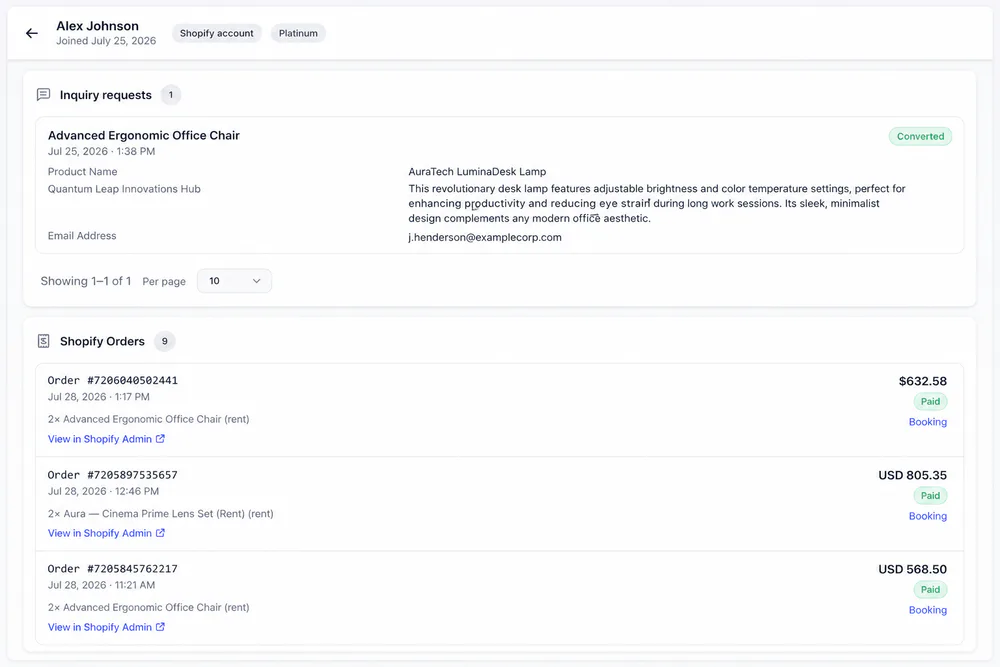
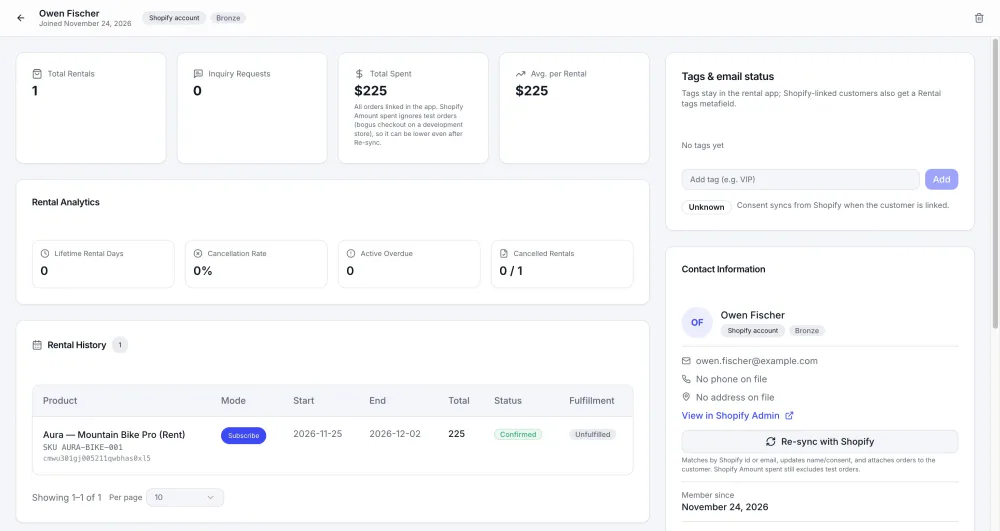
A profile lists the customer's quote requests with their status and form answers, plus linked orders with links to each booking and to the order in your Shopify admin.
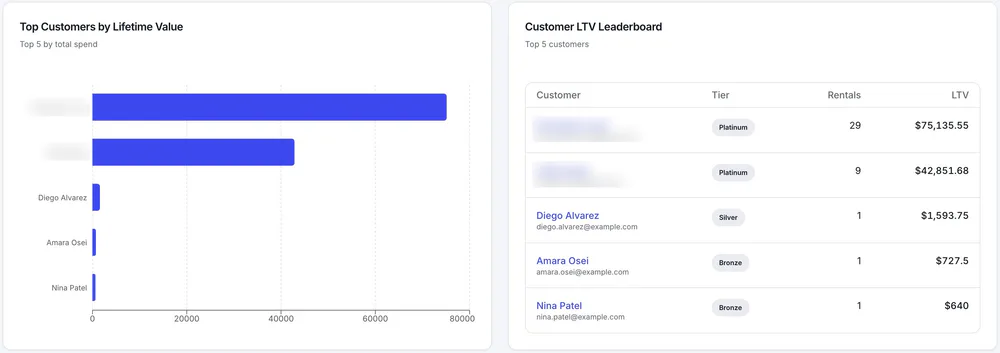
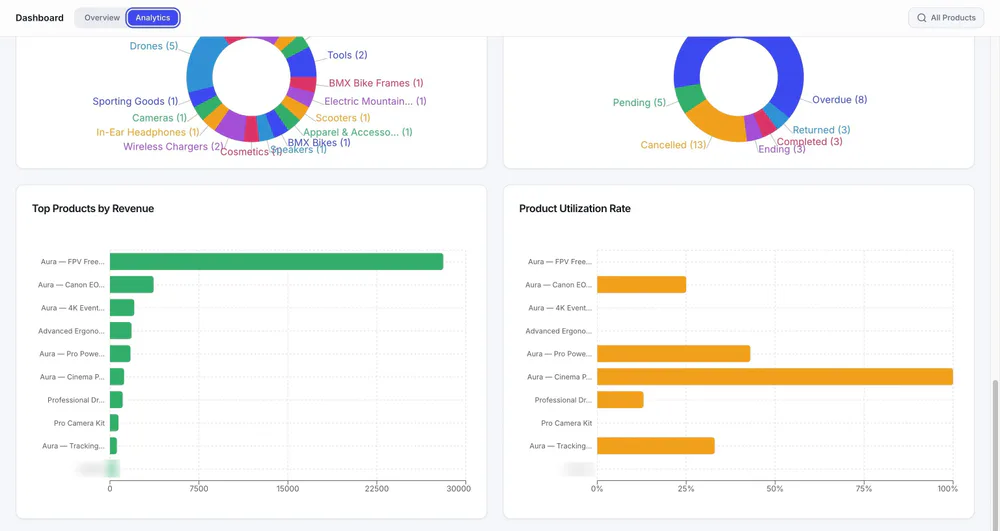
The Analytics tab shows your repeat customer rate, rentals per customer, top customers by lifetime value and month-1 retention for each recent month of new renters.
Top products by revenue sit beside each product's utilization rate, the share of its units out on rent today. Filter the charts by product, category or tag.
04Customer profile
Open a customer for their totals, rental analytics, rental history, tags, email status and contact details.
05Dashboard
The Overview tab shows total bookings, revenue for the month so far, active rentals and returns due in the next 7 days, above a six month revenue trend, your top products and the latest bookings. Switch to Analytics for rental business reports on customers, revenue, booking status and utilization.
06Features
One profile per renter with bookings, quote requests, linked orders, spend and tags.
Learn moreSee which products are out on rent today and which sit idle, next to what each one earns.
Learn moreRepeat rate, rentals per customer, lifetime value and month-1 retention on the dashboard.
Learn more07Related
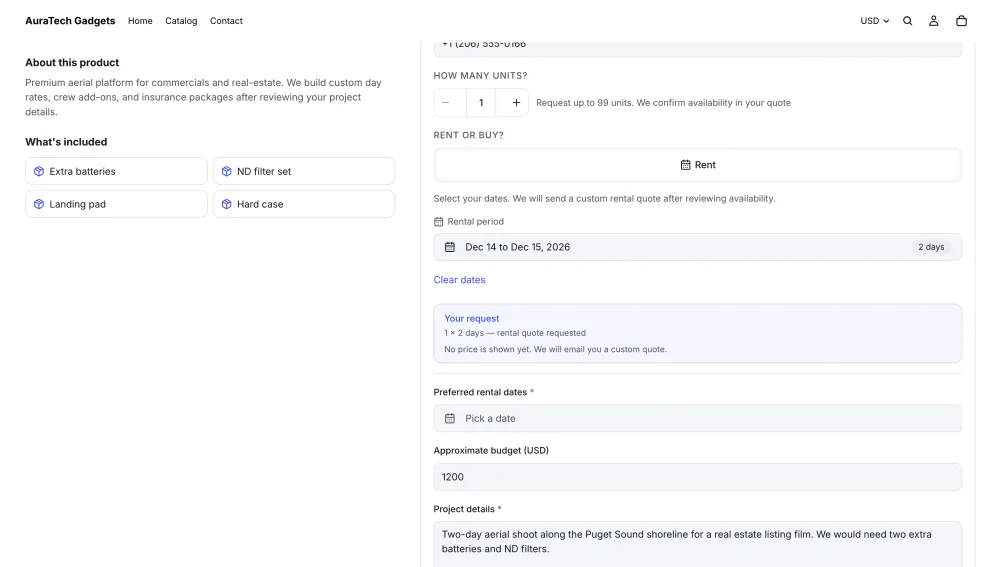
Big jobs and custom kits need a price from you, not a checkout. Rental Suite adds a quote request form to the product page, collects every request on one list, and turns an agreed quote into a booking at the rate you set.
Learn more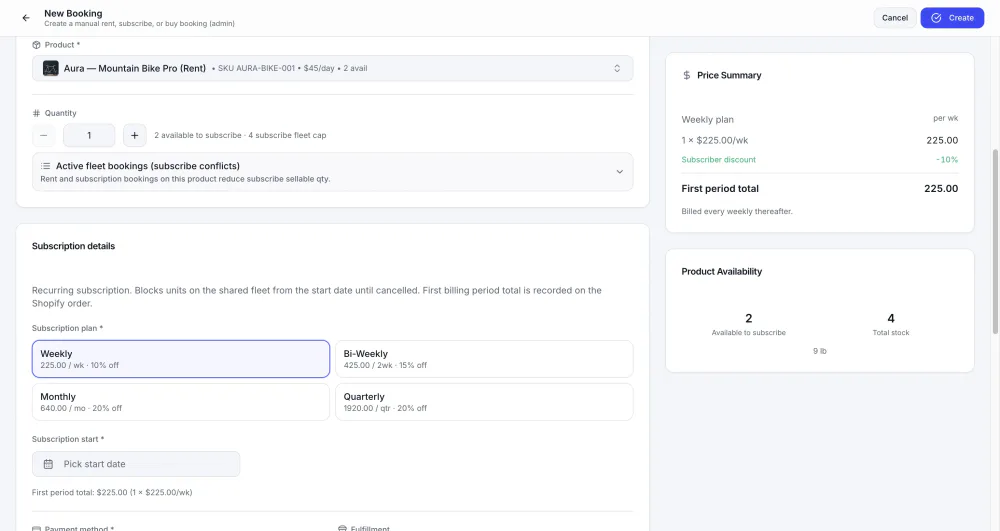
Some customers rent the same item every week and rebook it each time. A rental subscription lets them pick a weekly, bi-weekly, monthly or quarterly plan on your product page instead: they pay the first cycle at checkout, later cycles bill through Shopify, and the unit stays reserved until they cancel and return it.
Learn more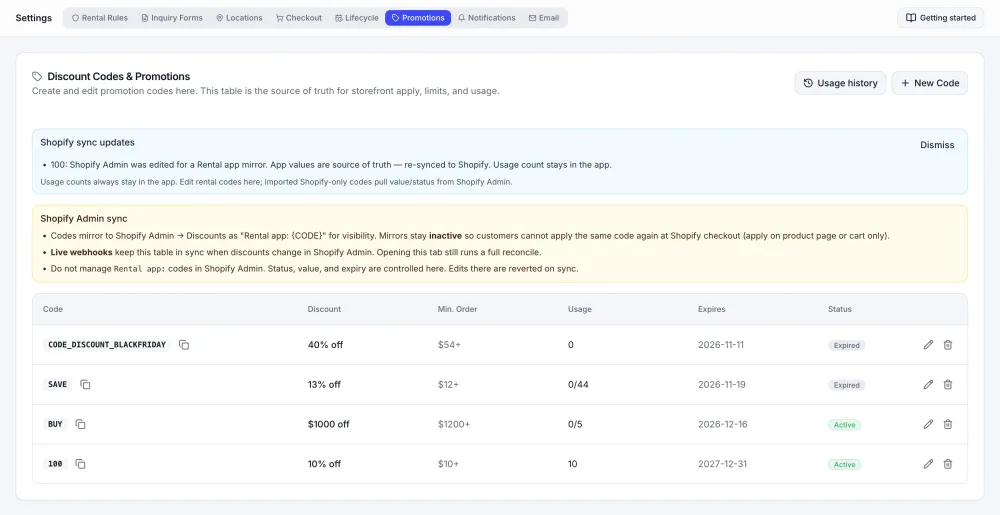
Quiet weeks need a reason to book, but a code with no limits can run for months. Rental Suite lets you create rental promo codes with a minimum order, a usage limit and an expiry date, and they work on the product page, in the cart and in New Booking.
Learn more08FAQ
Common questions about rental analytics and customer profiles in Rental Suite.
Ask the team that builds the app. We reply within one business day.
Rental analytics is reporting built around rentals: who rents, how often they come back, what they spend and how much of your gear is out. In Rental Suite it comes from the bookings in your shop, shown on customer profiles and the dashboard.
Repeat customer rate, rentals per customer, top customers by lifetime value, month-1 retention, revenue trend, booking volume, products by category, booking status, top products by revenue and utilization per product.
Storefront checkouts, quote requests and New Booking create or match a customer record, and customers from your Shopify store are synced in. People are matched by email.
Yes. Bookings and Reviews have customer filters that use the same records, and you can pick more than one customer at a time.
It reflects the bookings and revenue stored for your shop when you open it. Utilization is a snapshot of units out today, not an average over time.
Every plan, including Free, has the customer profiles and the dashboard with all of these reports.